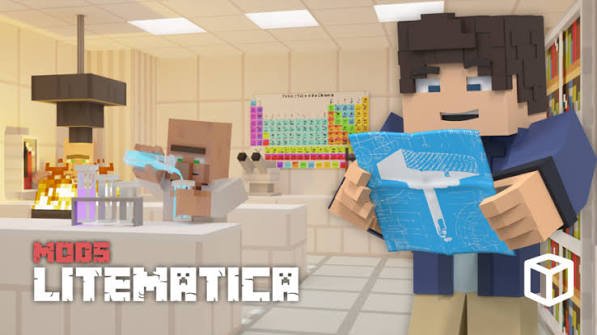
Litematica is a free mod for Minecraft Java Edition that shows a schematic as a see-through hologram in your world, so you can build it block by block in survival or paste it instantly in creative.
Before you start
Litematica only exists for Java Edition, the version you start from the Minecraft Launcher on a computer. If you play on a console or a phone or you use the Microsoft Store version on Windows, you have Bedrock,check my structure block tutorial
Note which Minecraft version you play, for example 26.3. Litematica has to match it exactly, and so does its library, MaLiLib. If you are playing on a server, use the same version as the server.
Install Litematica
1. Install Fabric
Fabric is the mod loader Litematica runs on. Close Minecraft and the launcher, then go to fabricmc.net/use.
Click Download for Windows and run the .exe. It uses the Java that comes with the Minecraft Launcher, so you don't need to install anything else.
In the installer, stay on the Client tab, choose your Minecraft Version, leave the loader version as it is, keep Create Profile ticked, and click Install.
2. Download Litematica and MaLiLib
Download both mods from Modrinth: open the Versions tab, filter by your Minecraft version and Fabric, and take the newest file. Then do the same for MaLiLib.
Only download from Modrinth !
Only download from Modrinth !
3. Put both files in your mods folder
%APPDATA%\.minecraft\mods
Paste the path into the Run box (Windows key + R) or the File Explorer address bar.
If there is no mods folder, create one. Move the two .jar files in without unzipping them.
4. Launch the game and check it works
Pick the Fabric profile in the launcher's version menu next to Play, and start the game.
Open any world and press M. If the Litematica menu opens, it's installed. On an AZERTY keyboard the key is the comma (,).
Load a schematic
1. Put the .litematic file in the schematics folder
%APPDATA%\.minecraft\schematics
You can find a lot of limematic files on this website, find one you like and download it (100% free)
2. Open it in game
Press M, click Load Schematics, select your file, keep Create a placement ticked, and click Load Schematic. The chat confirms it loaded.
The build appears as a hologram with one corner at your feet, extending away from you. Stand roughly where you want that corner before you load, or move it in the next step.
Move, rotate and mirror it
Move, rotate and mirror it
Press M + P (hold M, press P) and click Configure next to your schematic. From here you can:
Move to player: move the corner to where you stand.
Change the X, Y, Z numbers to nudge it one block at a time.
Rotation turns it 90° at a time, Mirror flips it.
Locked: ON stops it moving by accident once it's lined up.
Build it in survival
Build it in survival
This is what most people use Litematica for: the hologram shows where each block goes, and you place them yourself.
1. Show one layer at a time
A full hologram is hard to read on a big build. Press M + C, open the Render Layers tab, and pick Single Layer. Page Up and Page Down then move between layers, starting from the bottom.
2. Gather the materials
Press M + L for the Material List: every block in the build, how many you need and how many you already carry. Turn on Info HUD to keep the remaining counts on screen while you build.
3. Check your work
Press M + V for the Schematic Verifier. It colors mistakes in the world: light blue for a missing block, red for the wrong block, orange for a block facing the wrong way, and pink for a block that shouldn't be there.
4. Optional: Easy Place
In M + C > Generic, set easyPlaceMode to true. Right-clicking a hologram block then places the right block from your inventory, facing the right way.
Paste it instantly (creative)
Pasting places the whole build at once. It only works in creative mode, and it needs one key you have to set up yourself, which is why it so often "does nothing".
1. Give the paste action a key
Press M + C, open Hotkeys, find executeOperation (it shows NONE), click it and press a key, for example Enter.
2. Switch the tool to paste mode
Switch to creative (/gamemode creative, which needs Allow Cheats on in Esc > World Options...), hold a stick (Litematica's tool), and hold Ctrl while scrolling until the bottom-left of the screen says Paste Schematic in world.
3.Paste
With the stick still in hand, press the key you set. By default only empty space is filled; Ctrl + M switches to replacing existing blocks too.
Thanks if you read this, find a lot of builds and files : schematics / litematica and more for free : check Discover