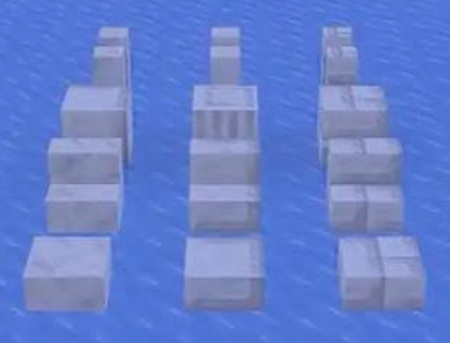
Three new ways to build with calcite
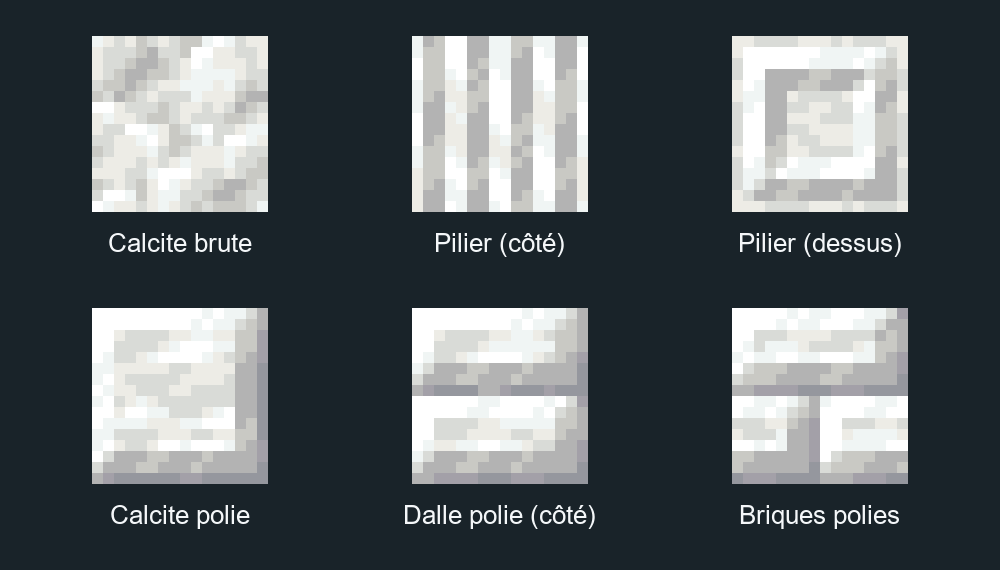
Raw calcite gains a pillar, as well as slabs, stairs, and walls. You can also obtain these variants with a stonecutter. The two new finishes, polished calcite and polished calcite bricks, each have their own slabs, stairs, and walls.
To turn raw calcite into polished calcite, place four calcite blocks in a square in the crafting grid. Then arrange four polished blocks in the same way to craft the bricks. The stonecutter also offers recipes for these finishes and their variants.
All three materials give the same behavior to the sulfur cube: it bounces slowly after absorbing one of these blocks.
The Flurry disc is hiding in igloos
The track Flurry, composed by Hyper Potions, joins Minecraft's discs. Look for an igloo equipped with a trapdoor and head down to the basement: the snapshot's loot table gives the disc a 30% chance of appearing in the chest.

The mystery block is found in ancient cities
Mojang mentions in its notes that a decorative block is hidden somewhere. The game files identify it as Chiseled Soulshale, its English name. It appears in the loot table of ancient city chests. You will therefore have to leave the snowy regions and go down into the depths to look for it.
The crafting table and stonecutter become usable with the keyboard
The Tab key switches from one group of slots to another, while the arrow keys move the selection within a group. Enter or Space replaces the left click. With Ctrl, these same keys replace the right click. This also works to browse stonecutter recipes, loom patterns, or villager offers.
The narrator announces the content and position of the slots, as well as the name of special slots, such as those reserved for armor or fuel. The creative inventory and recipe book do not yet support this navigation.
In menus, Tab directly activates text fields. The arrow keys select them, then you must press Enter or Space to be able to type. The cursor disappears during keyboard navigation and returns as soon as you move the mouse.
Hovered lines in lists are outlined in gray, the recipe book button gains a tooltip, and Realms launch buttons turn purple. The main menu also displays a new panorama, viewed from an ice cave opening onto a snowy landscape.
Minecraft temporarily alternates between OpenGL and Vulkan
If you leave "Graphics API" on "Default", the game randomly draws OpenGL or Vulkan at each launch. Mojang thus wants to test OpenGL again, which has been less used since Vulkan became the default choice in previous snapshots. The studio plans to remove this random behavior in a future test release.
Freezing, mobs, and the 53 fixes
Being on fire now counters the freezing effect, just like wearing leather armor. A single piece of leather also prevents zombies and skeletons from turning into Frostbites and Strays, respectively. The latter can now spawn in frozen rivers, frozen oceans and their deep variants, frozen peaks, jagged peaks, and snowy slopes.
Among the 53 fixes, Mojang resolved a memory leak with Vulkan, restored the attack range of Drowned armed with a trident, and fixed the generation of several elements in abandoned camps. Parrots can now mimic frozen zombies (Frostbites).
On the creation side, the /effect command accepts effect tags, and debug worlds can be modified with blocks or commands. Pack formats increase to 126.0 for data packs and 102.0 for resource packs.
How to test Minecraft 26.4 Snapshot 7
In the Minecraft Launcher, open Installations, check Snapshots, and launch version 26.4-snapshot-7. Preferably use a copy of your world or a separate game folder: this is a development version of Java Edition.